 Español
 English
 Português
Every delivery, confirmed with proof
The app guides the driver stop by stop: daily route, package scanning, recipient signature and photos. If the signal drops, it keeps working; everything is sent automatically once the signal returns.
- Proof of delivery with signature and photos
- Package scanning
- Fewer customer calls
- Works offline
From the warehouse to the last stop, in six steps
Drivers always know what to do next. Managers see in real time what has been delivered, what is still pending and what has failed.
1 · Departure
Van assigned by the office, pre-trip checklist and confirmed mileage.
2 · Route
Today’s list with the time window and status of each stop. Route optimization in one tap.
3 · Arrival
Directions to the door and an “I’ve arrived” button. Also opens in the driver’s usual navigation app.
4 · Packages
Every package is scanned. If one belongs to another stop or is a duplicate, the app flags it instantly.
5 · Delivery
Who received it, signature, photos and notes. Also not home, refused or partial delivery.
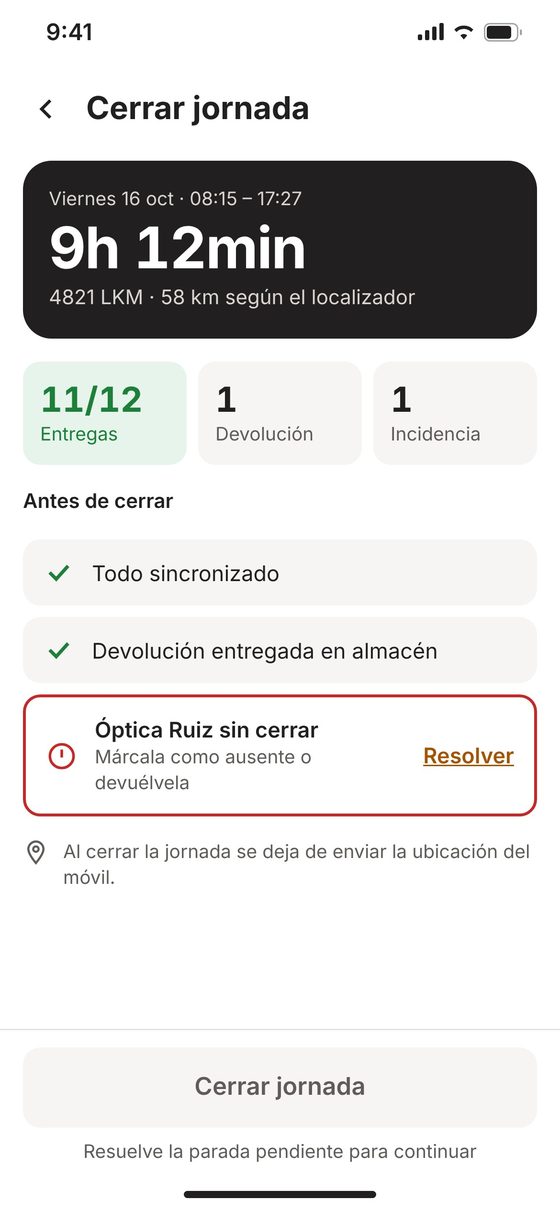
6 · Close-out
Summary of the day. It won’t close out with unresolved stops and shows which ones they are.
Calculate how much time and money you save each month
Delivery receipts entered by hand, customers calling to ask if their order has arrived, claims without proof and second delivery attempts. Adjust the numbers to your operation.
Your operation
Admin work you save
Where you save (US$ per month)
Rough estimate. Based on 4 min per call, 40 min per claim and US$4 per second delivery attempt. The starting values are an example, not real customer data.
A clear route for the day and the right package at the right stop
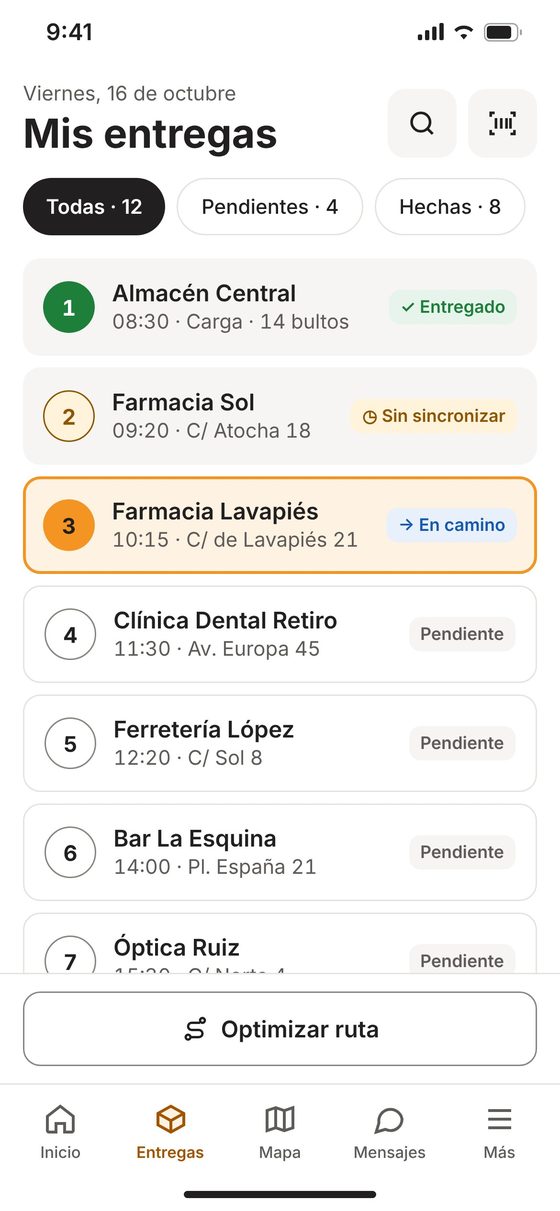
1Delivery list
Each stop with its number, customer, time and address. Status by color, icon and text: delivered, en route, pending or not synced.
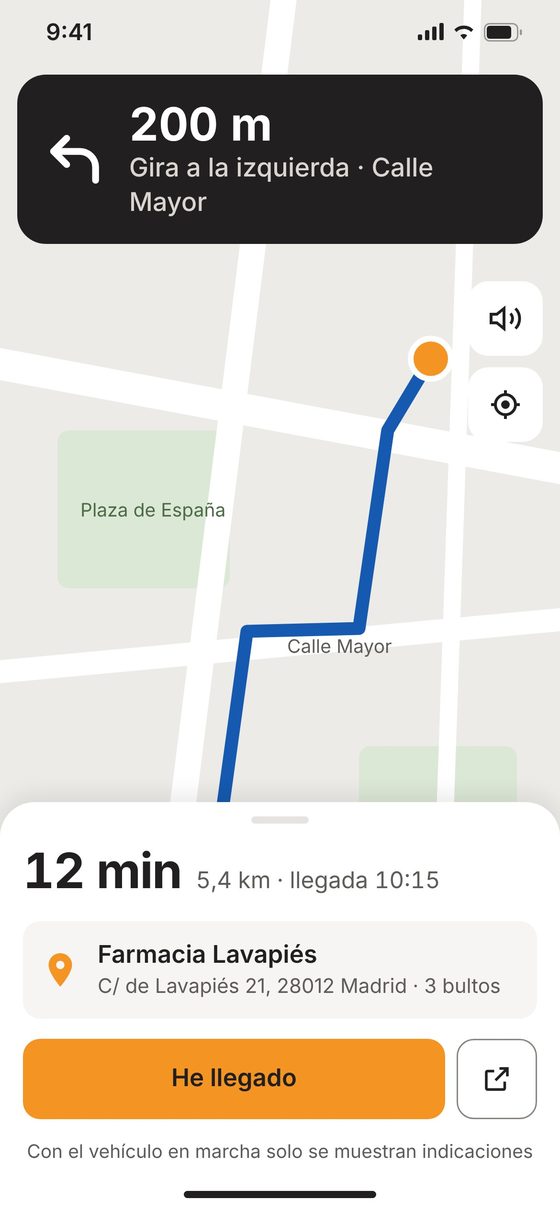
2Navigation to the door
Distance, time and ETA with large directions. While the vehicle is moving, the screen shows only the essentials.
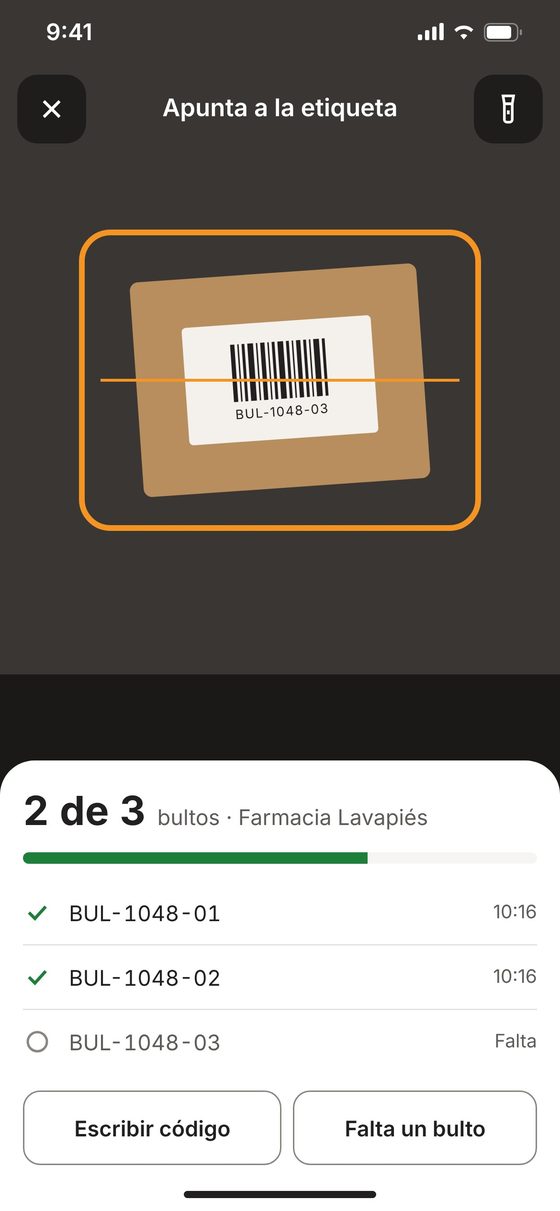
3Package scanning
Live count (2 of 3) and an alert if the barcode belongs to another stop or is a duplicate. If a package is missing, the delivery becomes partial.
If the label is damaged, the code can be entered by hand. And if a package is missing, the app asks for a note for the office.
Signature, photos and name: proof that stops claims
When a customer says “I never got it”, you have who received it, their signature, the photos and the exact time.
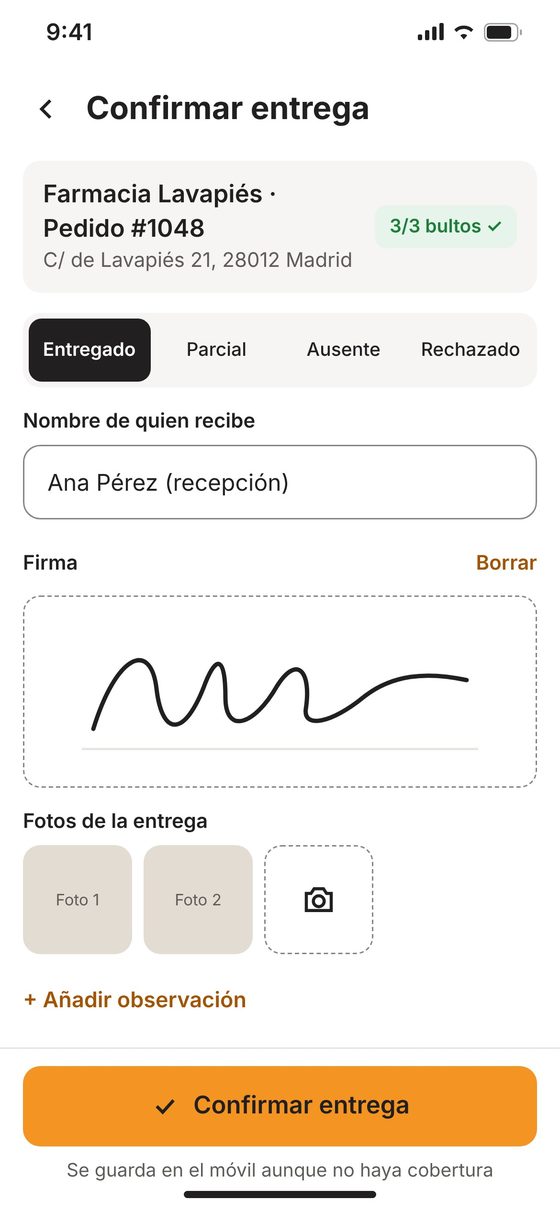
- Delivery outcomeDelivered, partial, not home or refused. Tricky cases require an explanation.
- Who receives and signsThe recipient’s name and a finger signature on the driver’s phone.
- Photos of the delivered packageAt the door, at the front desk or next to the delivery receipt. Attached to the delivery.
Customers not home, basements with no signal and last-minute changes
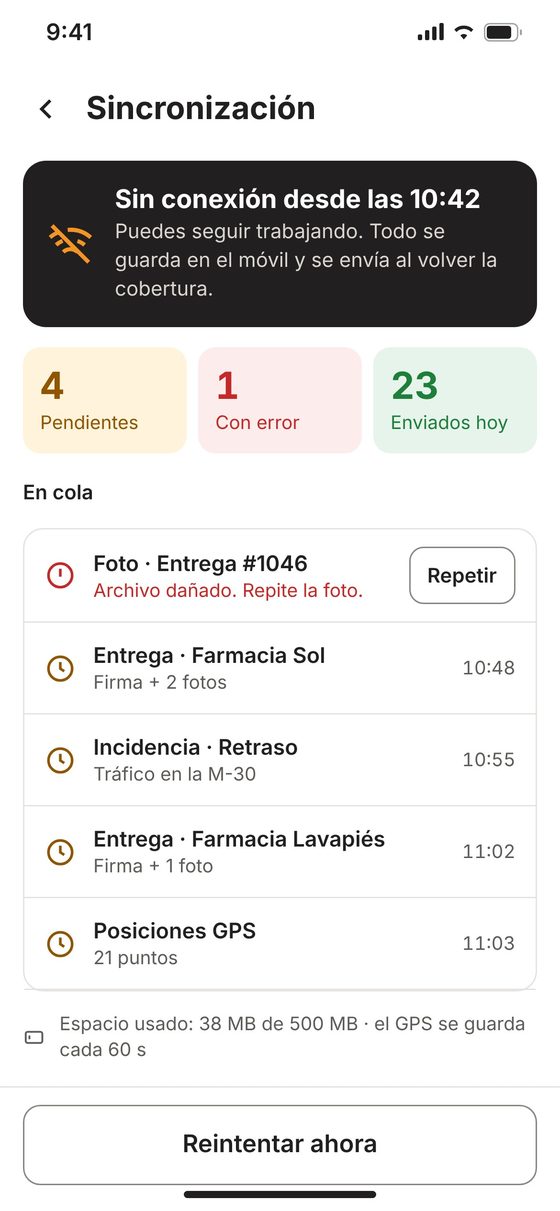
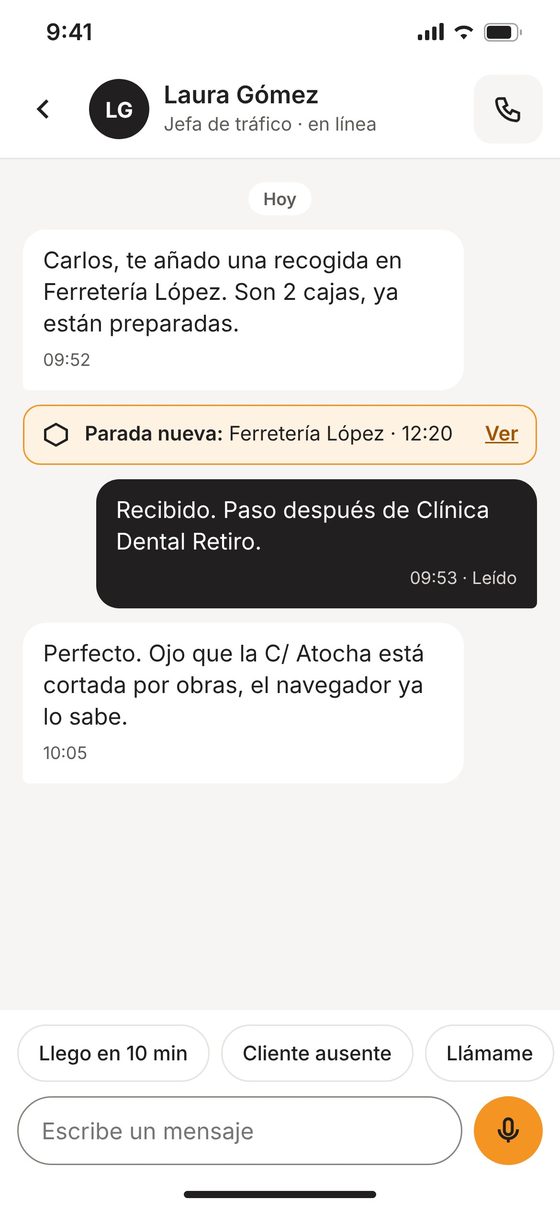
The route stays saved on the phone and the office can change it on the fly.
- No signalDeliveries are queued and sent in order when the signal returns. If a photo fails, the app asks for a retake.
- IncidentsCustomer not home, damaged goods, delay or traffic, with photos and location.
- Route changesThe office adds a pickup or flags a closed street. The driver replies with one tap or by voice.
Ready for your delivery team
For full-time or seasonal drivers, in a van, box truck or their own vehicle. Training is minimal: the app shows the next step on every screen.
For the delivery manager
- What’s delivered, pending and failed, in real time
- Proof of delivery with signature, photos and time
- Incidents with location
- Route changes without phone calls
For the delivery driver
- Always knows the next stop
- Alerts if they grab the wrong package
- Signature and photos in seconds
- Keeps working with no signal
iOS and Android
One app for your whole team, on personal phones or company devices.
Five languages
Spanish, English, French, Portuguese and Italian. Everyone picks theirs with a flag.
Privacy by design
The phone’s location is only used while a shift is open and stops when it’s closed. The vehicle tracker remains the main source.
Demo mode
“Demo access” button: a full shift with sample data, without touching your data. Ideal for training new hires.
How we get started
Demo
A full delivery day on your phone in demo mode.
Pilot
One or two real routes for a few weeks, connected to your system.
Rollout
All routes onboarded and proof of delivery tailored to each customer’s requirements.
Questions about the Delivery APP
What proof of delivery does it store?
Outcome (delivered, partial, not home or refused), recipient’s name, on-screen signature, photos, notes, time and location.
Does it work in basements or areas with no signal?
Yes. The route stays saved on the phone and deliveries are sent automatically, in order, when the signal returns.
How does it prevent package mix-ups?
Every package is scanned. If the code belongs to another stop or is a duplicate, the app warns before it’s handed over.
Does it work for seasonal drivers?
Yes. It runs on iOS and Android, on a company or personal phone, and the app shows the next step on every screen.
Can it connect to my system?
Yes. During the pilot we connect one or two real routes to your system and set up the proof each customer requires.
How are delivery drivers trained?
With demo mode: a full delivery day with sample data, without touching your data.
Want to try it on one of your routes?
We’ll walk you through the app in demo mode and set up a trial with your vehicles and delivery drivers.